




Smart System Installation, Troubleshooting & Maintenance
The Smart Home Lifecycle: A Guide to Installation, Troubleshooting, and Maintenance
You’ve done the research. You’ve read the "best of" lists from CNET and Wired, you’ve compared features, and you have a vision for a home that’s more efficient, convenient, and secure. But now you’re standing at a critical crossroads that product reviews don’t cover: the gap between the dream of a smart home and the reality of making it all work, seamlessly and reliably, for years to come.
This is where the real questions begin. Should you install it yourself? What happens when a device mysteriously drops offline? How do you ensure your investment in smart HVAC or plumbing systems continues to pay off?
They fear making costly mistakes, both in installation and in choosing the wrong long-term partner. This guide is designed to be the trusted resource you’re looking for. We’ll walk you through the entire smart home lifecycle, transforming complexity into confidence and empowering you to make the right decisions for your home’s most critical systems.
The Big Decision: DIY vs. Professional Smart System Installation
The first major hurdle is deciding how to bring your smart system to life. The internet is full of content framing this as a simple choice, but the reality is more nuanced, especially when dealing with essential mechanical systems like your HVAC and water heater.
The DIY Path: The Appeal and the Pitfalls
Going the DIY route offers a sense of accomplishment and potential cost savings. For simple, plug-and-play devices like smart plugs or light bulbs, it's often a great choice.
However, the complexity ramps up quickly. What starts as a simple project can become a weekend-long struggle with incompatible network protocols (like Zigbee vs. Z-Wave), confusing wiring, and system integration failures. As research from communities like smart home shows, a common pain point is getting devices from different brands to communicate reliably. When it comes to your home’s core mechanicals, the stakes are even higher. An improperly installed smart thermostat can lead to an inefficient HVAC system, higher energy bills, or even damage to the unit itself.
The Professional Advantage: Expertise and Peace of Mind
Partnering with a professional technician isn't just about saving time; it's about guaranteeing performance, safety, and reliability. This is where the value of expertise becomes clear.
- System-Wide Integration: A professional ensures your new smart thermostat doesn't just "work" but is perfectly calibrated to your specific Carrier or Daikin HVAC system for maximum efficiency.
- Correct Installation: There’s no guesswork with wiring or setup. Professionals handle the technical details, ensuring your system is installed correctly and safely from day one.
- Future-Proofing: A knowledgeable installer can advise you on building a stable, scalable ecosystem, preventing the compatibility issues that frustrate many DIYers.
While articles from home service companies like Brothers Services correctly point out that some tasks are better left to pros, the crucial distinction lies in the system's importance. For anything tied to your home's essential comfort and safety-heating, cooling, and plumbing-professional installation isn't a luxury; it's a critical step for protecting your investment.
Common Stumbling Blocks: Your Smart Home Troubleshooting Guide
Even the best-planned systems can have hiccups. Before you spend hours searching forums for answers, here is a simple "symptom checker" to diagnose and solve the most common issues-a resource you won't find in most high-level product reviews.
Symptom: A Device is Offline or Unresponsive
This is the most frequent smart home complaint.
- Check the Power: Is the device plugged in? If it's battery-powered, are the batteries fresh?
- Restart the Device: The classic "turn it off and on again" works wonders. Unplug the device, wait 30 seconds, and plug it back in.
- Check Your Wi-Fi: Is your router working? Try restarting your router. If the device is far from the router, you may have a weak signal.
- Update the App: Make sure the manufacturer's control app on your phone is updated to the latest version.
Symptom: Automation Routines Aren't Working
You set the thermostat to adjust at 7 PM, but it's not happening.
- Review the Logic: Open the app (Google Home, Alexa, etc.) and double-check the routine's conditions. Is it set for the right time, day, and trigger? A simple typo can break the entire command.
- Check Device Connectivity: If one device in the routine is offline (see above), the entire automation may fail. Ensure all involved devices are connected and responsive.
- Look for Conflicting Routines: Do you have another automation that might be overriding your command?
Symptom: Voice Commands Are Misunderstood or Ignored
- Check Your Microphone: Is the microphone on your smart speaker muted?
- Speak Clearly: Enunciate your command. Sometimes background noise can interfere.
- Verify the Device Name: Are you using the exact name you assigned to the device in the app? Saying "turn off the living room light" won't work if you named it "main lamp."
While these steps can resolve many issues, persistent connectivity or performance problems with integrated systems like smart HVAC often point to a deeper installation or configuration issue.
The Long Game: Proactive Maintenance for Your Smart Systems
A smart home isn’t a "set it and forget it" project. Like any valuable asset, it requires occasional maintenance to ensure it runs smoothly and securely for years to come. This is a critical area that most online guides completely overlook.
- Firmware Updates: Manufacturers regularly release firmware updates to patch security vulnerabilities, fix bugs, and add new features. Set your device apps to update automatically or check for updates quarterly. This is especially crucial for your main smart hub and router.
- Battery Checks: For battery-powered sensors and devices, create a calendar reminder to check and replace batteries annually. A dead battery can silently disable an important security or climate-control function.
- Professional Tune-Ups: Your smart HVAC system is a sophisticated piece of technology connected to powerful mechanical equipment. Just as your car needs regular oil changes, your HVAC system needs professional servicing. A technician can ensure the smart controls are calibrated, the mechanical components are clean and efficient, and the entire system is working in harmony to save you money. Exploring [professional HVAC maintenance plans] is one of the best ways to protect your system's longevity and performance.
Frequently Asked Questions About Smart System Management
Q: Will a smart thermostat really save me money?
A: Yes, when installed and programmed correctly. A smart thermostat learns your habits and optimizes your HVAC system's runtime to reduce energy waste. The key is proper integration with your specific system, which is why a professional installation often yields better savings than a basic DIY setup.
Q: How secure is my smart home?
A: Security is a valid concern. You can protect your system by using strong, unique passwords for your Wi-Fi network and smart home accounts, enabling two-factor authentication, and keeping your device firmware updated. Professional installers can also help configure your network for enhanced security.
Q: What happens to my smart home if the internet goes down?
A: It depends on the device and the system. Many local automations (like a sensor triggering a light) will continue to work if they use protocols like Zigbee or Z-Wave. However, you will lose remote access and voice control via cloud-based assistants like Alexa or Google Assistant. Critically, your smart thermostat will continue to operate your HVAC system based on its last known schedule, so you won't be left in the cold.
Your Smart Home, Your Way
Building a smart home should be an empowering experience, not a frustrating one. By understanding the full lifecycle-from thoughtful planning and installation to proactive troubleshooting and maintenance you can create a truly intelligent environment that serves you reliably for years.
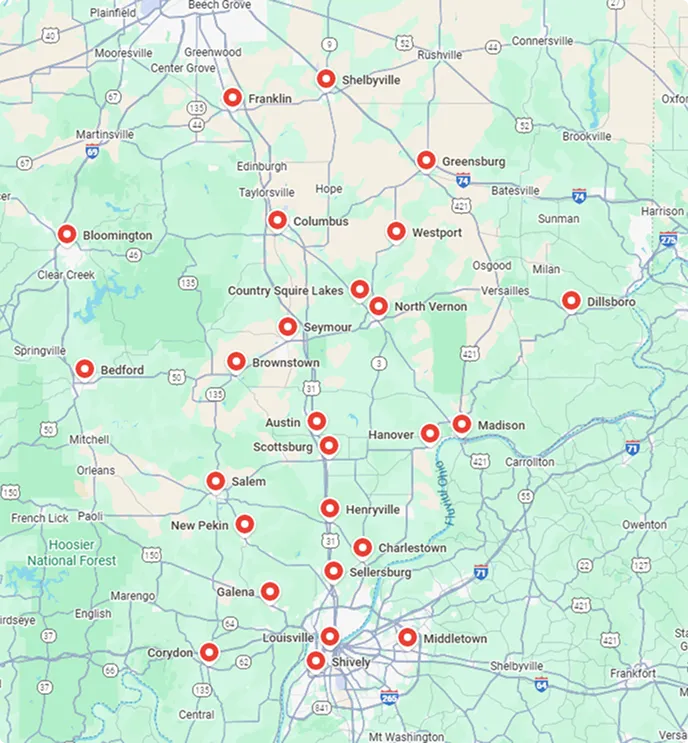
For your home's most essential systems, partnering with an expert removes the guesswork and guarantees you get the full benefit of your investment. If you're ready to take the next step toward a smarter, more efficient home, our team of licensed technicians is here to help. We’ll help you design and install a system that’s right for you and rooted in the trusted, professional service South Central Indiana has known since 1994.
Ready to discuss your vision? Let’s talk about how we can bring it to life, the right way. [Schedule a smart home consultation] with one of our experts today.
hear what our satisfied clients have to say

Service areas